Touch controls
Status: built 2026-10-01. Read with ADR-0002 (games are data), ADR-0004 (replayable simulation), ADR-0007 (Compatibility is the baseline), ARCHITECTURE §5.2 (input) and §11 (the web platform).
Every game in the gallery needed a keyboard, and most people who open a web gallery are on a
phone. A game's controls are already data: its InputMap names each action, its keys, mouse and
pad buttons, and which actions only menus read. So the touch controls are derived from that same
document, for every game, with no game named anywhere in the engine.
1. In the engine, not the page
The controls are a layer the player draws with Godot (GwTouchControls, in
engine/addons/gamewright/runtime/touch/), over its frame server. Not HTML buttons in the page.
- One implementation everywhere. The same layer works in a phone's browser and on a desktop touchscreen, where there is no page.
- Presses take the keys' path. A finger on a control is an
InputEventActionhanded to Godot's input, exactly where a key's event goes. The page has no way into the engine but synthetic key events (which need a key for every action, and a keyboard layout) or a JavaScript bridge into GDScript (more surface on the play origin, against ADR-0009's laterjavascript_eval=no). - The layout needs the game's frame. The letterbox is drawn by Godot inside the canvas. Only the engine can shrink the game's frame to make room, which is what keeps controls off the HUD (§5).
The page does two small things: it keeps the browser's own gestures off the canvas (no callout,
selection or tap flash; touch-action: none was already set) and says "Tap to play" on a coarse
pointer.
2. What shows
Each action becomes one control. By default (GwTouchPlan):
| Action | Control |
|---|---|
the first stick: true action (move) |
an analog stick under the left thumb |
a second stick: true action (a twin-stick's aim) |
an analog stick under the right thumb, level with the first; the round buttons stand above it |
ids up, down, left, right |
the arms of a d-pad under the left thumb (only the arms that exist: a visual novel's up and down are a rocker) |
pause |
a small button along the top |
| every other action | a round button under the right thumb, in document order, the first nearest the corner |
menu: true actions |
only while a screen asks for them (below) |
A third stick action gets nothing. A stick and a d-pad never show at once: the stick wins the
left thumb. Each stick is held by its own finger, so both thumbs steer at once: on a twin-stick
the left walks while the right aims and, pushed past half, shoots (kit.ranged's aimFires), with
no fire button at all. Anywhere on the right thumb's side that is not a button is the right
stick, as anywhere on the left's is the left (built 2026-10-02 for M10c, docs/design/m4-templates.md).
When a menu holds the input. A screen tells the stage which actions it reads now
(GwStage.ask): kit.ui asks for its title's hint actions (Tideline's title: confirm; Burrow
Run's: run, jump, climb, pause), with a slate app open, for the menu's nav actions and every
app's open action, and while a Dialogue runs, for the presses it reads (advance, confirm,
back, and up and down while a choice stands: an adventure's talk shows OK, Back and the
choice arms, never the stick; a visual novel's rocker now shows only at a choice). While anything is asked, exactly those show. When a view holds the input but
asks nothing, the menu-only actions show. Otherwise every play action shows. This is what lets
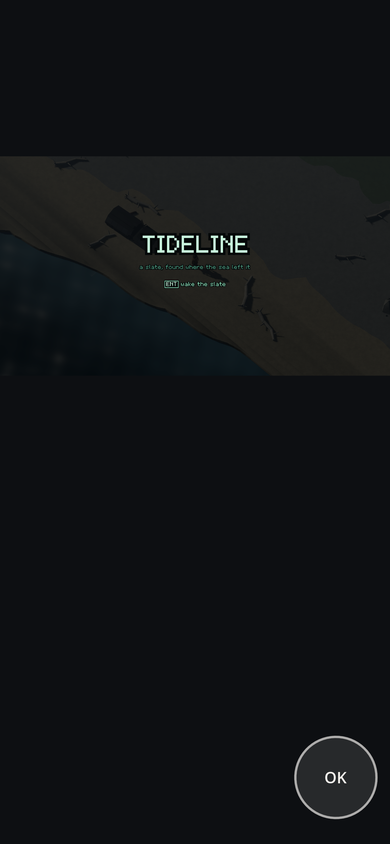
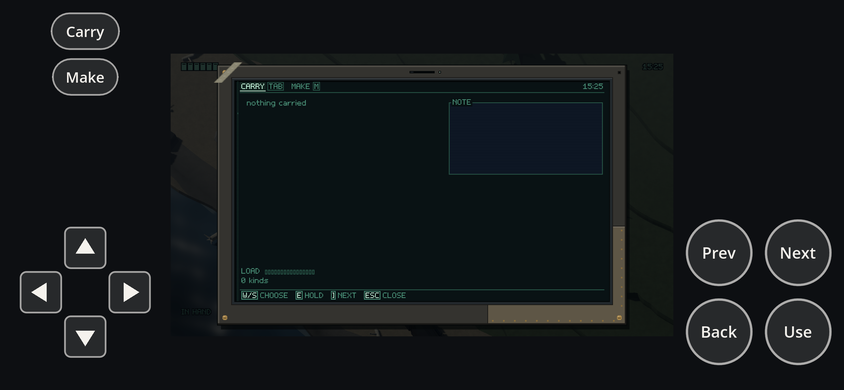
Tideline's title offer one OK button, and its slate a d-pad, Use, Back, Next and Prev, without
the touch layer knowing what a title or a slate is.
A tap on the game's frame is a left click there, for games that bind one (mouse: ["left"]):
Fog Signal's advance, Tideline's swing, and for games whose InputMap pointer clicks (2026-10-09,
pointer-input.md): a point-and-click game walks to what was tapped and uses
it. A tap clicks but never aims: a twin-stick aims with its right stick. Godot's own
touch-to-mouse emulation is turned off while the layer exists, because it would also make every
touch on a control a click.
3. Saying more: touch on an action
When the default is wrong, an InputMap action may carry an optional touch object
(schemas/v1/input.schema.json, TouchHint):
| Field | Meaning |
|---|---|
label |
the word on its button, 1 to 12 characters (default: the id, capitalised) |
place |
button, top, or an arm: up, down, left, right (a platformer's climb is its up) |
order |
buttons sort by it, lowest first, under the right thumb |
show |
play (default), asked (only when a screen asks for it; the default for menu actions), never |
The core checks it (checkTouch): a stick action takes no place, and two actions that show at
the same time can't take the same arm. The templates use it sparingly: platformer_2d puts climb
on the up arm; action_survival orders its six play buttons, puts carry and make along the top,
shows confirm (as OK) and back only when asked, and hides its pause (the menu's own Pause
shows instead, §10);
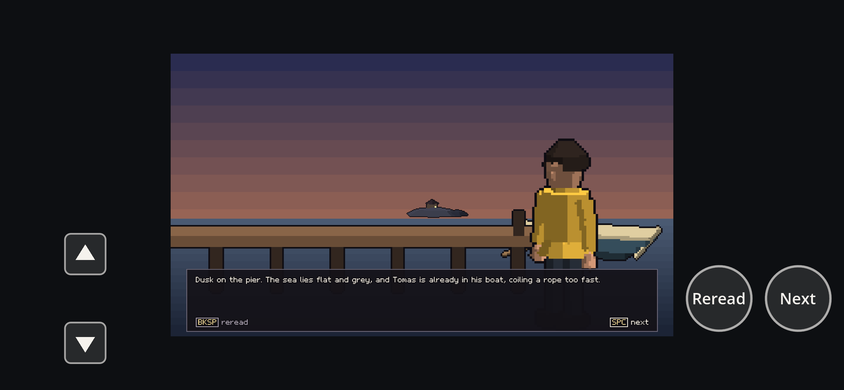
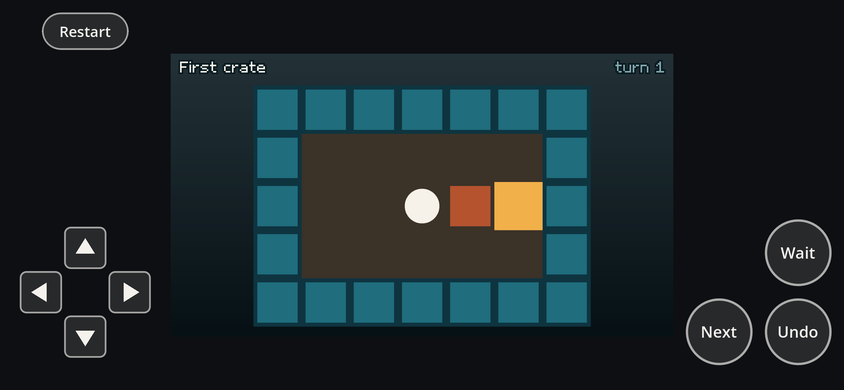
puzzle_grid puts restart along the top, away from undo; visual_novel labels advance Next
and back Reread.
4. When they show
- Never in a tool run. The player makes no touch layer for a tour, a replay or a shot, so no
verification frame, trace or state hash can include one. A tool run drawn for a phone
(
--phone) counts that phone's as always showing, for its key hints' words only (§8). - From the first touch. The first touch only shows them (where it landed was not a control
yet). On a phone or tablet (Godot's
mobile,web_androidorweb_iosfeatures, or a "Mac" with a touchscreen, which is an iPad) they show from the start. - A key or pad button hides them: the person has keys. The next touch brings them back.
5. Layout and readability
GwTouchLayout is pure: a window size in, rects out. The controls never sit on the game's
frame, so they can't hide a HUD wherever a game draws it (Tideline's corners, Fog Signal's text
box along the bottom). While the controls show, the root window stops scaling its content and
the frame server keeps the size it always has (the game renders exactly as it does without
them), scaled into a 16:9 frame the layout chose. Two arrangements are tried and the one that
leaves the bigger frame wins:
- a band below the frame (a phone held upright, a tablet): the frame full width, the top buttons in a row under it, the stick or d-pad and the buttons along the bottom;
- a column at each side (a phone held sideways): the frame centred between them, the top buttons stacked above the stick.
The room is kept for the most controls any mode shows, so the frame stays put when a menu opens. The game's own text keeps to 11 points on the screen however small the frame is shown (phone-text.md). Sizes are in points (CSS pixels on the web): the stick and d-pad 128, buttons 64 (a lone one 80, never under 44, Apple's minimum target), top buttons 36 tall, labels 15 and 14 points in Godot's own font, all times the screen's device pixel ratio, a little larger on a tablet and smaller on a small window. Light outlines and labels on a faint fill sit on the letterbox's black, so they read the same over any game. Everything is 2D canvas drawing (circles, style boxes, polygons, text), which the Compatibility renderer draws as every other; none of it is in the frame server's viewport, so no shot ever contains it.
6. How a press enters the game
A finger down on a button sends InputEventAction("gw.<id>", pressed) through
Input.parse_input_event; lifting it sends the release. The stick sends its four direction
actions (gw.move.left...) with their share as strength, so Input.get_vector reads it as it
reads a pad's stick. From there everything is the key's path: Godot's action state, which
GwDeviceInput.poll reads each tick; the event, which GwDeviceInput.observe latches so a tap
between two ticks still presses once; and the menus' _unhandled_input, which take an action
event as they take its key. The simulation still sees only GwInputFrames. A touch press is an
ordinary action press in the frame, so a recorded replay repeats it and the state hash cannot
tell it from a key. No clock and no randomness are read.
7. Proof
- Engine (
engine/tests/player/gw_touch_test.gd): what an InputMap gives and what shows when a screen asks; that the controls stay inside a phone's window and off the frame either way up, and scale with the device pixel ratio; that a finger held on a button gives tick for tick the same input frames as its key; a quick tap presses once; the stick and d-pad move; the first touch only shows them and a key hides them; a tap on the frame is a left click; a tool run has none. kit.ui's test checks a screen asks for what it reads and that an action press drives its menus as the key does. - Core (
core/test/game.test.ts): thetouchhint is schema-checked andcheckTouch's two errors fire. - A second stick (
gw_touch_test.gd,test_a_twin_stick_has_a_stick_under_each_thumb): the plan gives the aim stick the right thumb, the layout keeps both sticks level and every control off the frame and off each other either way up, two fingers give the input framemoveandaimat once and lifting one keeps the other, a finger elsewhere on the right side is the aim stick and the button above it a button, and the stage names themLeft stickandRight stick. The browser's phone visit holds both sticks at once (touch ... second stick: both press lines, and the frame changes more than standing still). - Browser (
tools/web/harness.mjs --touch, throughtools/web.sh --touch): a phone visit (touch, mobile viewport, an Android user agent, three device pixels a point) at 390x844, then turned to 844x390. It reads the engine'sgamewright touch: layoutline, checks every control is in the window and off the frame, taps the first button (which starts each game), holds the stick or each d-pad arm until the frame changes more than standing still, taps every other button (each must printgamewright touch: press ACTION), presses a key (they hide) and touches again (they return). Through it all, every text the game draws must be readable there (touch text, phone-text.md §5).
On the five gallery games (2026-10-01, tools/heavy.sh tools/web.sh --bundle=<baked game> --no-native --touch, GPU Chromium, three device pixels a point), every touch check passed:
| Game | Upright (390x844) | Sideways (844x390) | Shown when asked |
|---|---|---|---|
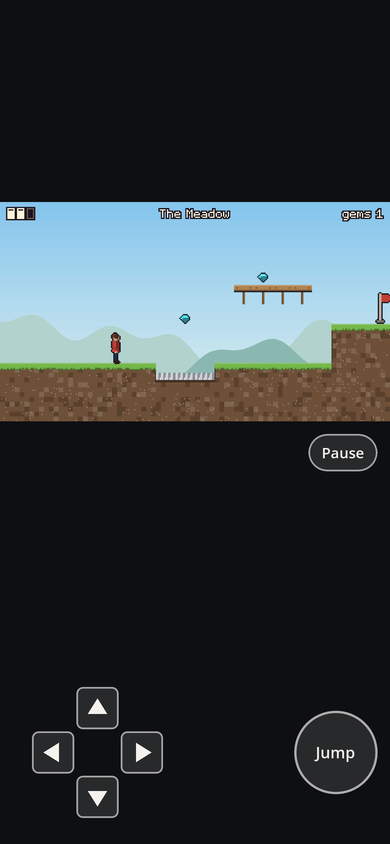
| Burrow Run | d-pad (climb on up), Jump, Pause; frame 390x219 | frame 528x297 | title: the d-pad, Jump, Pause (its hints) |
| Fog Signal | up/down rocker, Next, Reread; tap the frame to read on | frame 503x283 | title: the same (its hints) |
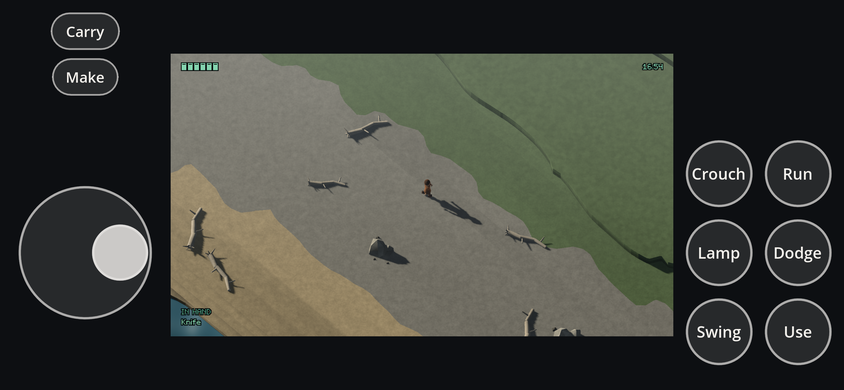
| Nightcoast | stick, Use, Swing, Dodge, Lamp, Run, Crouch, Carry, Make | frame 503x283 | slate: d-pad, Use, Back, Next, Prev, Carry, Make |
| Pier Pressure | d-pad, Undo, Next, Wait, Restart along the top | frame 503x283 | title: d-pad, Undo, Next, Restart |
| Tideline | as Nightcoast | frame 503x283 | title: one OK; slate as Nightcoast |
8. Key hints name what you can press
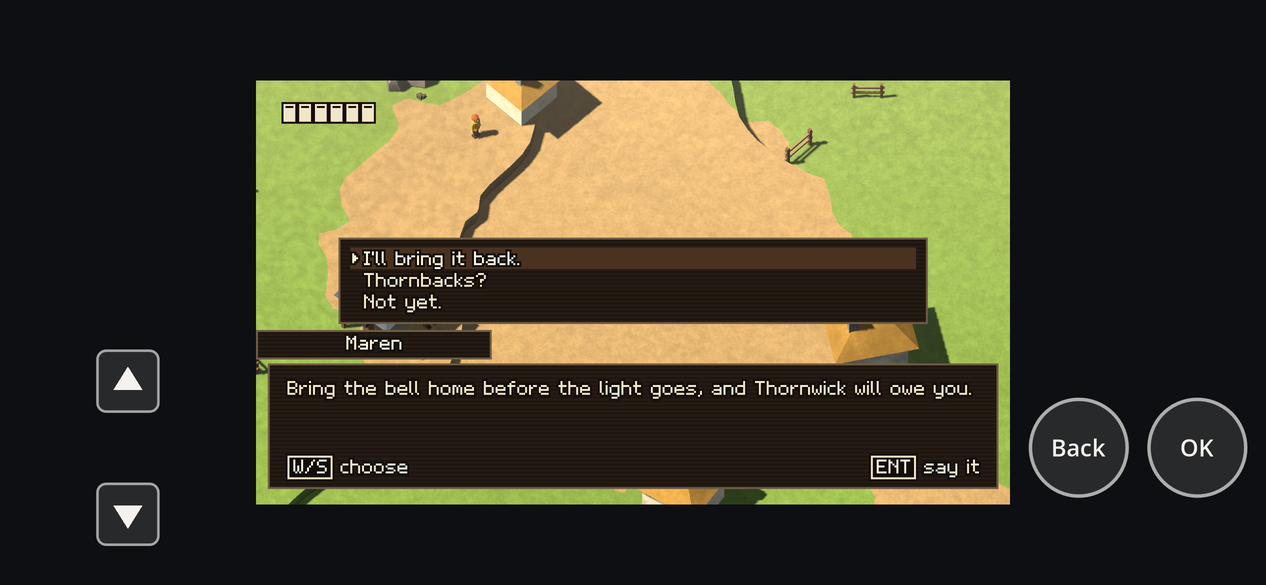
Built 2026-10-02. kit.ui's hints ([ENT] say it) and the slate's key strip named keyboard keys on
a phone, where the person has none: a talk in Thornwick said W/S choose beside the ▲ and ▼ arms.
Now, while the controls show, a hint for an action whose control is on screen names that control;
an action with none showing keeps its key (the person may have a keyboard; a key hides the
controls anyway).
| Control | A hint names | Example |
|---|---|---|
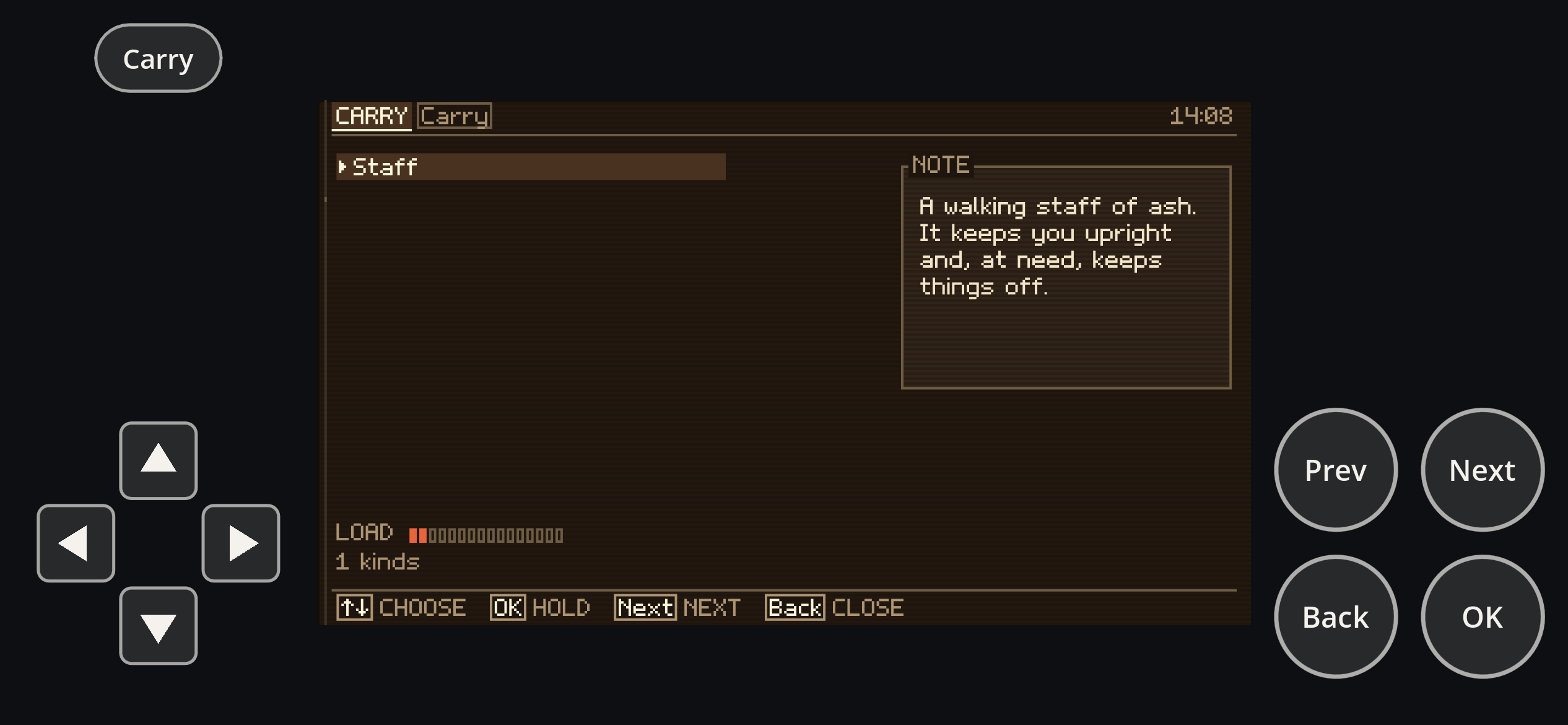
| a button or top button | its label | [OK] say it, [Back] reread, [Carry] on the slate's tab |
| a d-pad arm | its arrow; a pair runs together, as arrow keys do | [↑↓] choose, a platformer's climb [↑] |
| the stick | Stick (with two showing, Left stick and Right stick); each of its directions (move.left...) its arrow |
[Stick] walk, [←→] run |
The stick has no word drawn on it, so it is named by what it is, as a button is by its label; a direction of it is pushed the way the arrow points, as an arm is pressed. The face has the four arrows, so no new glyph was needed.
The seam is the stage. GwTouchControls tells the stage what each showing control is called
(GwStage.touch_labels, action id to word, from GwTouchPlan.labels: pure), and clears it when
they hide. kit.ui's view copies it into its tokens (GwUiTokens.touch_labels, beside the reading
pitch, which follows the screen the same way), and GwUiKeys.glyph(action, touch) prefers the word
to the key. The stage already carries presentation both ways (frame_points from the player,
ask from kit.ui), so this is one more typed field there, not a service looked up by name, and
the runtime never names kit.ui. Presentation only: a tool run has no touch layer, so unless it is
drawn for a phone (below) the map stays empty and every frame, text report and state hash is as
before; either way nothing reaches the simulation.
Redrawing. A hint is as wide as its cap, so when the words change (the controls show or hide,
or a talk asks for OK, Back and the arms in place of the stick) kit.ui draws and lays out
everything again (GwUiView._restyle), the same path a new reading pitch takes. A key hides the
controls and the hints name keys in the same frame; a touch brings both back.
Proof: engine/tests/kits/ui/gw_ui_touch_hints_test.gd (failed on the engine before: ENT
where OK was due, no hint drawn again when a talk began) over Thornwick's InputMap: the talk's
hints name OK, ↑↓ and Back, use keeps E, a key brings back ENT, W/S and ESC, play names
Use and the stick's ←→; every hint draws again and fits its rect on an upright phone; the
slate's tab and strip read Carry, ↑↓, OK, Next, Back and fit its glass.
gw_touch_test.gd checks the words the plan gives and that a tool run's stage has none.
Thornwick's look tour shot all 35 frames byte for byte as before, with the same state hash. In the
phone visit (Thornwick, Fog Signal, Nightcoast) every touch check passed, touch text included.
At the end. Once a game is over, kit.ui asks for the keys its end card names (the HUD's
hints, as the title asks for the title's), so a game whose start key is confirm, shown only
when asked, shows OK beside "play again" (GwPlayAgain). Before, nothing asked once the game was
over, and Thornwick's and Nightcoast's cards said "[ENT] play again" to a phone with no such key.
A word said once. A control whose word is the hint's words stands alone: [Undo], not
[Undo] undo. The deploy's phone visit found Pier Pressure's title reading [Restart] restart
beside [Next] next level on an upright phone, the first run into the second (touch text:
overlaps); the Screen had given each hint 80 pitches, room for a key's letter and its word. The
cap alone reports its word as the hint's text, read whole. [Next] next level keeps its words:
they say more than the button. Proof: test_a_hint_whose_control_says_its_words_shows_the_control_alone
(failed first: back drawn after [Back]). The slate keeps the same rule: its key strip read
[Next] NEXT and its tabs CARRY [Carry] on a phone, and now read [Next] and CARRY
(test_a_touch_word_that_is_the_label_is_drawn_once).
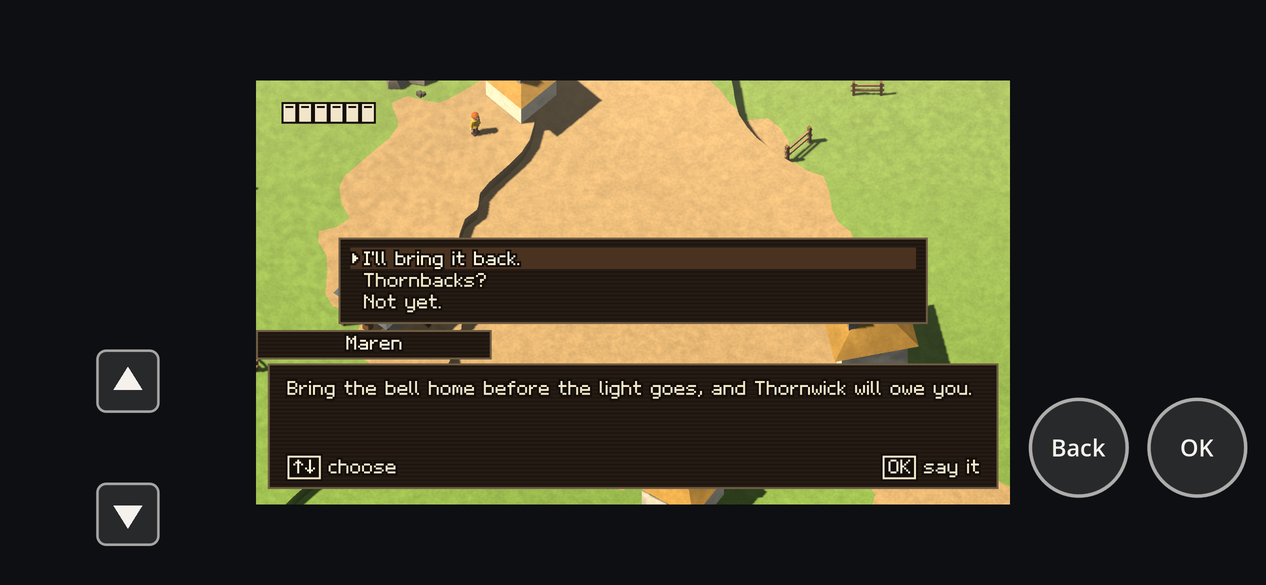
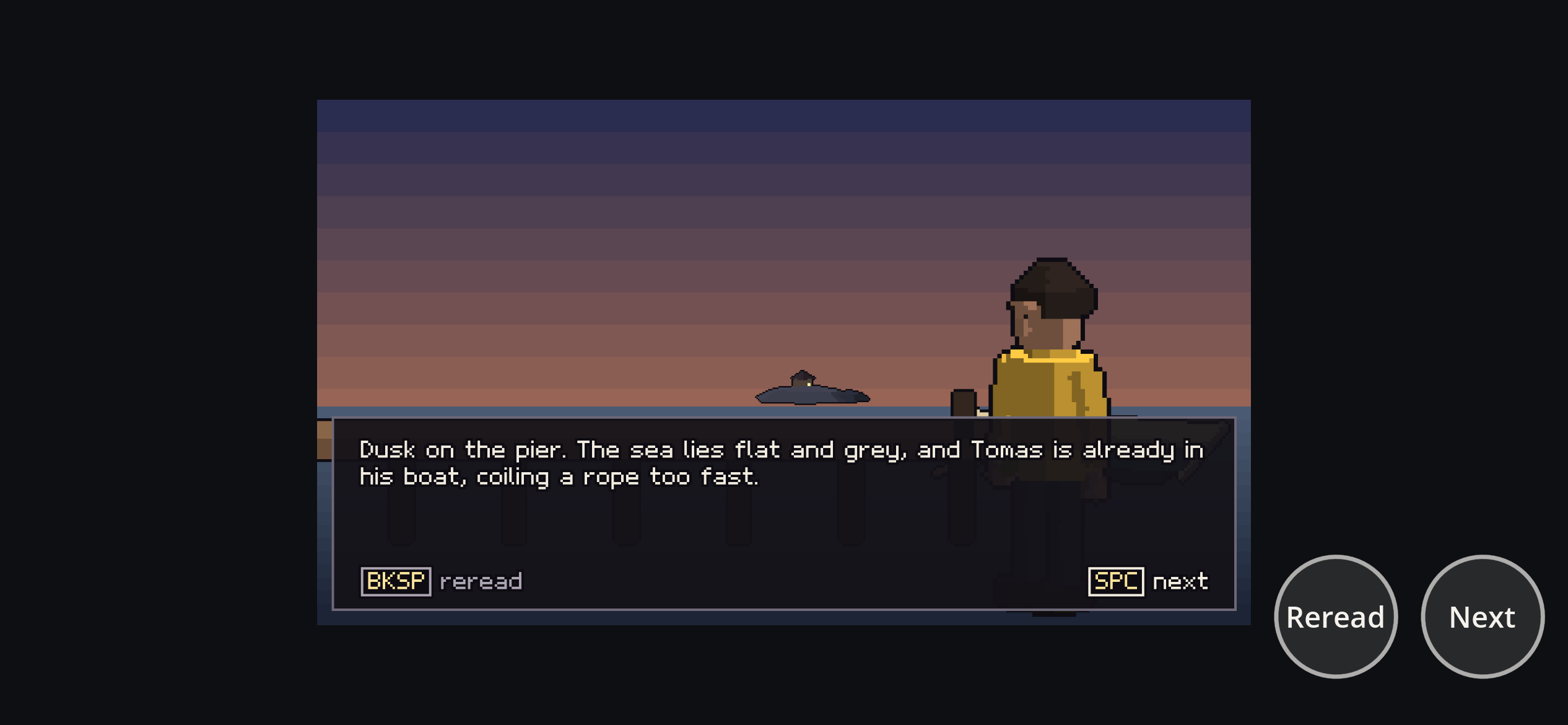
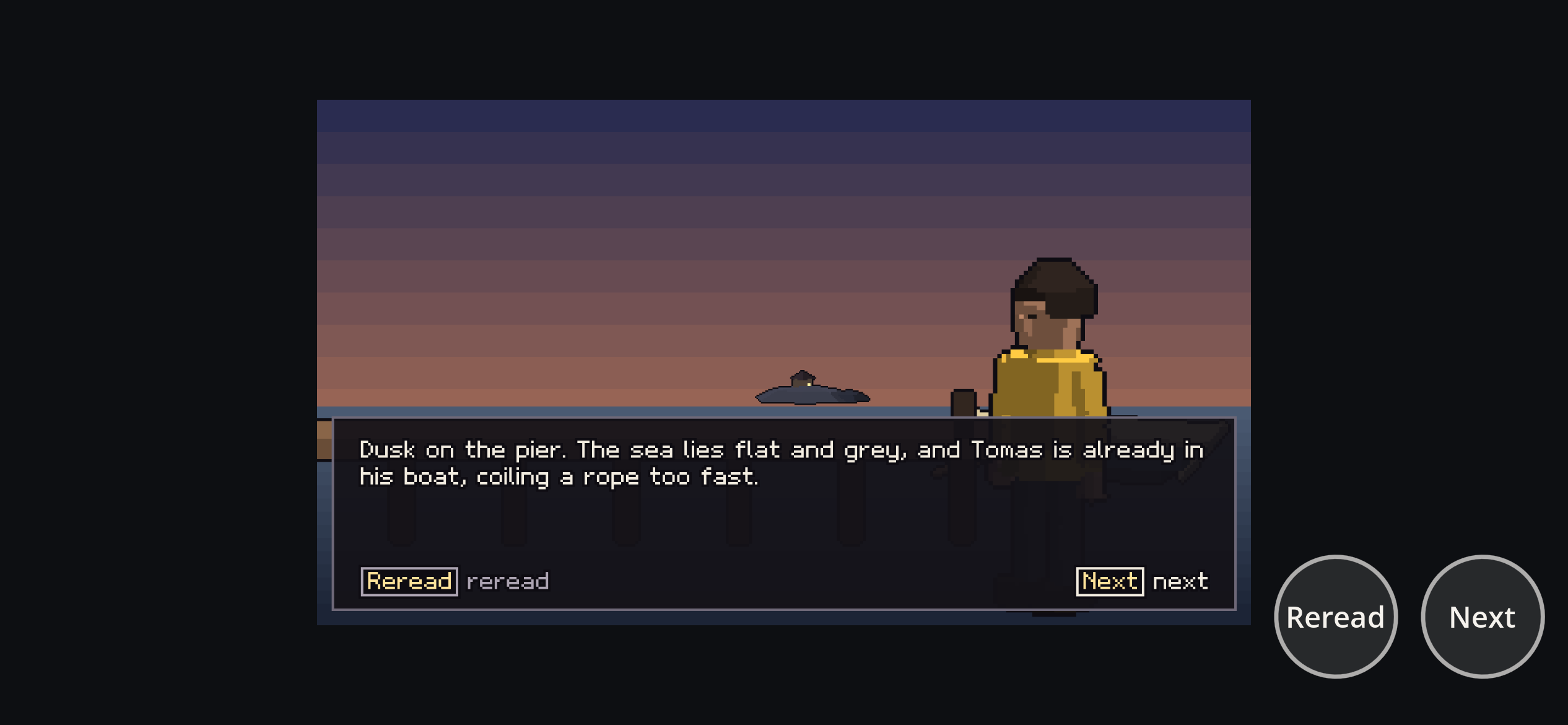
A tool run drawn for a phone (--phone, L3's phone pass: phone-text.md §7) names that phone's
controls too, or the pass would judge words no phone shows: [ENT] say it is wider than [OK] say it and [W/S] than [↑↓], so a hint could pass with keys and overlap with words, or the reverse.
It has no touch layer, but its GwToolScreen keeps the game's GwTouchPlan, and before the views
present each frame it tells the stage what the controls that show now are called
(name_touch_controls: GwTouchPlan.labels(plan.showing(stage.asked(), stage.input_held())), the
controls' own call). It counts them as always showing, the phone of a person who plays by touch
alone. That phone shows them from the start, and only a key or pad button hides them, which that
person never presses; a tour presses actions straight into the input frame, never a key through
Godot's input, so nothing in the run stands for one. And the run already places the frame where
the layout puts it beside the showing controls (frame_on_phone): hints naming keys would draw a
phone that doesn't exist, the frame of one with its controls up and the words of one with them
hidden. A phone with a keyboard attached hides them and names keys; that rarer phone is the one
the pass no longer draws (§9). A shot can
come the tick a screen asks for something new (a talk begins), so _frame_now names the controls
again after the views present and presents once more if the words changed. A plain tool run and a
--points run keep the map empty. Proof: gw_touch_test.gd's test_a_phone_run_names_… (red
before: the stage had no words; red again with the shot's second present taken out: play's words
where the talk's were due); Thornwick's look tour, plain and at --points 0.2031, shot all 35
PNGs byte for byte as before, with the same result JSON and state hash; at --phone 390x844 its
hints read [OK] begin, [Back] reread, [OK] go on, [↑↓] choose, [OK] say it, [Use] talk,
on the same state hash. L3 with the words caught Pier Pressure's title overlap that only the
deploy's phone visit had seen (phone-text.md §7).
A pad in hand (2026-10-21, docs/design/accessibility.md). The same seam carries the device the
person used last (GwStage.device, set by the player as it hears a key, a pad or the mouse; always
keys in a tool run). While it is the pad, kit.ui's tokens say so (GwUiTokens.pad) and a hint
names the action's pad button instead of its key: [A] use, [RT] dash, [D↑] map, [L3], a
stick [LS] or [RS]. An action with nothing on the pad keeps its key; the touch controls' words
still come first.
9. Not yet
Text in the game is small on a phone.Done (phone-text.md): the frame keeps its size, and kit.ui draws its text at least 11 pt on the person's screen, laying out in the smaller room that leaves; the phone visit fails text under that.On-screen key hints (kit.ui'sDone (§8).[SPC] next) still name keys on a phone.A hint naming a stick action whole has no key form.Done for M10c: on keys it reads the stick's first key each way, run together (WASD,↑←↓→); on a phone the stick's name.- A pad: a hint names a key even when the person plays with a pad's buttons.
- L3's phone pass draws a phone played by touch (§8). An upright phone with a keyboard attached (controls hidden, hints naming keys, the same frame upright) is not drawn.
A second stick (twin-stick aim).Done (§2). Haptics, and safe-area insets for a page that asks forviewport-fit=cover(the play page doesn't, so the browser keeps it clear of notches).- Aiming with the mouse: a twin-stick on a desktop aims with the arrow keys or a pad's right stick; the mouse's left button shoots where the body faces.
- Rebinding or moving controls by the person.
10. The menu every game has
Built 2026-10-09 (ARCHITECTURE §5.1). The menu is the player's, so its touch controls are too
(GwTouchPlan.from_input_map(doc, menu)), added for every game whose menu can open:
- Pause: the game's own pause control when its InputMap has one that shows (a platformer's),
else the menu's own along the top (
gw_menu.pause). It shows whenever nothing holds the input, on the title and the end card too, and never while a slate app is open (Back closes that). - While the menu is open only its own controls show, each pressing the menu's action
(
gw_menu.*, which the player installs apart from the game'sgw.ones): a d-pad (up and down; left and right too on the options page), OK under the right thumb, and Back along the top. The layout line's mode is thenpause. - The room the layout keeps holds them (a left control, a button, a top button), so the frame
stays put when the menu opens. Every gallery game had a left control and a button already; a
game with no top button (a visual novel, a twin-stick with its pause hidden) gains a row for
Pause, which keeps its frame's size (its text reads the same) and, upright, sets it 25 points
higher.
GwToolScreenandframe_on_phonekeep the same room, so L3's phone is a person's.
Proof: engine/tests/player/gw_menu_touch_test.gd (what shows in each mode, the words, and that no
gallery InputMap's frame shrinks), and gw_player_menu_test.gd's finger on Pause, the d-pad, OK
and Back driving the real menu of Tideline's bundle.